 by
Artificial intelligence is changing the way people create videos for social media. From cinematic village scenes to realistic sports moments, AI video tools are making it possible for anyone to create impressive videos without expensive cameras or professional editing skills.
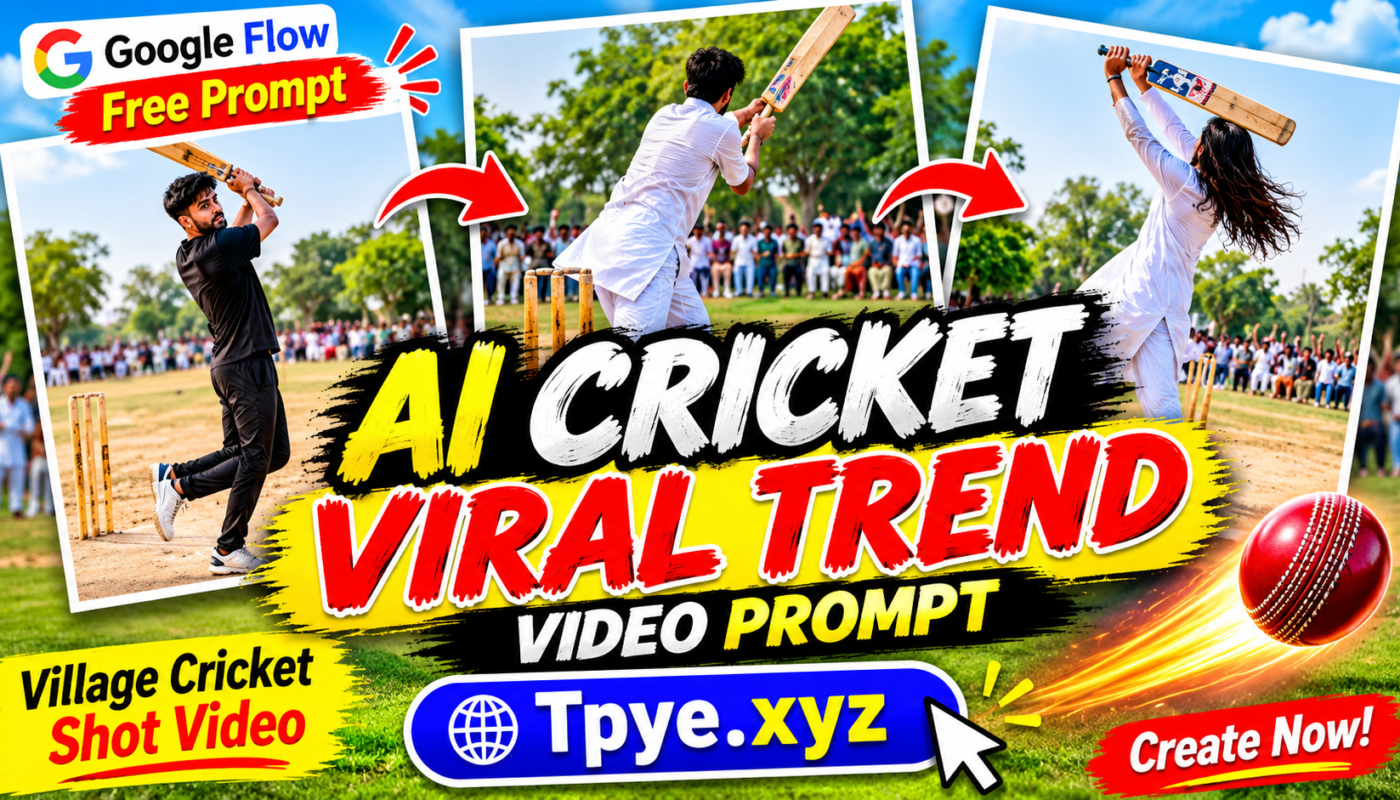
One of the interesting trends gaining attention is AI-generated village cricket videos. These videos show realistic cricket matches in village environments, where players hit powerful shots, spectators cheer loudly, and the entire atmosphere feels like a real cricket ground.
If you have seen viral village cricket videos on Instagram Reels, TikTok, YouTube Shorts, or Facebook, you may want to create something similar. The good news is that you can use Google Flow to experiment with this type of AI video creation.
In this guide, you will learn how to create a realistic village cricket shot video using Google Flow, including a free AI prompt that you can copy and use.
What Is the AI Village Cricket Video Trend?
The AI village cricket video trend focuses on creating realistic cricket scenes inspired by traditional village cricket matches.
Unlike professional stadium cricket, these videos feature simple village grounds, local players, dusty pitches, boundary lines, nearby houses, trees, and groups of people watching the match.
The most exciting moment is usually a powerful cricket shot. A batsman hits the ball high into the sky, the camera follows its movement, and the spectators react with excitement.
These small details make the video feel more natural and entertaining.
Creators are experimenting with different scenes, including:
- A batsman hitting a massive six in a village cricket match.
- Friends playing cricket in an open village field.
- Spectators cheering after a powerful shot.
- A realistic slow-motion cricket shot.
- A dramatic last-ball six in a local cricket tournament.
With a well-written prompt, AI video generation can help bring these scenes to life.
Why Are AI Cricket Videos Becoming Popular?
Short-form video platforms have created opportunities for creators to experiment with new types of content. AI-generated sports videos are one example of this creative approach.
Village cricket is particularly interesting because it is familiar to millions of people. Many viewers have played cricket in streets, fields, school grounds, or local villages.
A realistic village cricket scene can create nostalgia and entertainment at the same time.
Some reasons creators may enjoy this trend include:
1. Relatable Content: Village cricket is a familiar experience for cricket fans, especially in South Asia.
2. Cinematic Visuals: AI tools can generate dramatic camera angles, realistic environments, and exciting sports moments.
3. Short Video Format: A 10-second cricket clip can work well as a short-form video experiment.
4. Easy Content Creation: You do not need to arrange a real cricket match or hire a camera operator.
How to Create a Village Cricket Video with Google Flow
Google Flow is an AI filmmaking tool that allows creators to generate cinematic video scenes using text prompts and supported creative features.
You can describe the environment, characters, camera movement, lighting, and action you want to see.
Follow these steps to experiment with the village cricket trend.
Step 1: Open Google Flow
Visit the official Google Flow website:
Sign in with your Google account and check whether Flow is available for your account and region. Available features and generation limits can vary.
Step 2: Select a Video Creation Option
Start a new project and select an available video generation option.
Depending on the current interface and your account access, you may see different models or generation settings.
Step 3: Copy the Free Village Cricket Prompt
Now copy the prompt below. It describes a realistic village cricket match with a powerful batting shot, cheering spectators, and cinematic camera movement.
Free Google Flow AI Cricket Video Prompt
Copy this prompt and paste it into Google Flow:
[PASTE THE PROMPT BELOW]
Create an ultra-realistic cinematic 10-second video of a village cricket match in rural South Asia. A young batsman wearing a simple casual cricket outfit stands on a dusty village cricket pitch. He faces a fast delivery from the bowler and suddenly plays a powerful lofted cricket shot. The ball travels high into the blue sky toward the boundary while all the village spectators sitting and standing around the ground cheer loudly with excitement. Show realistic batting technique, natural body movement, accurate cricket equipment, authentic village surroundings, green trees, small rural houses, and a lively crowd. Capture the moment with dynamic sports cinematography, a smooth camera tracking shot following the cricket ball, realistic daylight, natural shadows, detailed facial expressions, and professional cinematic quality. The entire scene should look like real footage recorded during an exciting local village cricket match. Vertical 9:16 format, realistic physics, no cartoon effects, no artificial-looking movements, no text, no watermark.
Your Download Is Ready!
Click the button below to start your download.
Step 4: Generate Your Video
Paste the prompt into Google Flow and start generating.
Wait for the generation process to finish. If the result does not look right, try adjusting the prompt with more specific instructions about the batting action, camera angle, or village environment.
AI-generated videos can sometimes contain unusual movements or visual errors, so generating another version may help.
Step 5: Download and Edit Your Video
Once you are happy with the result, use the available export or download option.
You can use CapCut or another video editor to make small improvements, such as:
- Adding exciting cricket background sounds.
- Adding crowd cheering effects.
- Adjusting the video speed.
- Adding a short title.
- Improving the final video format for social media.
Keep the original cricket action clear so viewers can understand what happens.
More Free AI Cricket Prompts to Try
If you want to create multiple videos instead of using the same scene every time, try these additional ideas.
Prompt 2: Massive Six in Village Cricket
Create a realistic cinematic village cricket scene where a talented young batsman hits a massive six over the boundary. Show the ball flying high above the trees, spectators jumping with excitement, and teammates celebrating. Authentic rural South Asian village environment, dusty cricket pitch, natural daylight, realistic cricket action, dynamic camera movement, vertical 9:16 video.
Prompt 3: Last Ball Cricket Drama
Create an ultra-realistic village cricket match during the final ball of a local tournament. The batting team needs six runs to win. The bowler delivers the ball, and the batsman hits a powerful six. Show the ball flying over the boundary while the crowd celebrates wildly. Cinematic slow motion, realistic cricket physics, emotional expressions, authentic village atmosphere, vertical 9:16 format.
Prompt 4: Street Cricket with Friends
Create a realistic short video of young friends playing cricket in a traditional South Asian village street. One player hits a powerful shot, sending the ball toward the rooftops. Other players laugh and run after the ball. Show village houses, narrow streets, natural daylight, realistic human movements, cinematic camera work, and authentic street cricket atmosphere.
Tips to Make Your AI Cricket Videos More Viral
Creating a video is only the first step. The way you present it can also influence how people respond to your content.
Here are a few practical tips:
Use a Strong Opening: Start with the batsman preparing to hit the ball or the moment just before the shot.
Keep Videos Short: Experiment with 8–15-second clips that focus on one exciting cricket moment.
Use Realistic Sound Effects: Crowd reactions, bat sounds, and background atmosphere can make the scene more engaging.
Choose Vertical Format: Use a 9:16 aspect ratio for Instagram Reels, TikTok, and YouTube Shorts.
Create Different Scenes: Try village tournaments, street cricket, massive sixes, and funny cricket moments instead of uploading identical videos.
Write Interesting Captions: Use short captions that encourage viewers to watch and comment.
Frequently Asked Questions
Is Google Flow free to use?
Google Flow may offer free access or limited credits depending on the current plan, region, and availability. Check the official website for the latest access and pricing information.
Can I create cricket videos using only text prompts?
Yes. Text-to-video generation is one of the ways to create cricket scenes. You describe the characters, environment, camera movements, and action in your prompt.
Can I upload AI cricket videos to Facebook and Instagram?
You can generally share AI-generated videos on social media, subject to each platform's rules. Avoid presenting fictional AI footage as authentic real-world events when that could mislead viewers.
What is the best video ratio for cricket reels?
A vertical 9:16 aspect ratio is suitable for Instagram Reels, TikTok, and YouTube Shorts.
Can I create multiple cricket videos with different prompts?
Yes. You can experiment with different cricket situations, including sixes, catches, bowling, street cricket, and village tournaments.
Final Words
The AI village cricket video trend offers an interesting way to experiment with AI filmmaking. With Google Flow and a detailed prompt, you can create cinematic cricket scenes featuring village grounds, powerful batting shots, cheering spectators, and exciting sports moments.
You do not need professional filming equipment to get started. Simply choose a scene, copy one of the free prompts in this guide, and experiment with different video generations.
Try the village cricket six prompt first, and then create your own variations to develop unique content for social media.